How to automate invoice data entry
Manual invoice entry is slow and error-prone. Automating it can save 10–25 hours a month for a team processing a few hundred invoices — if you do it in a way that stays accurate.
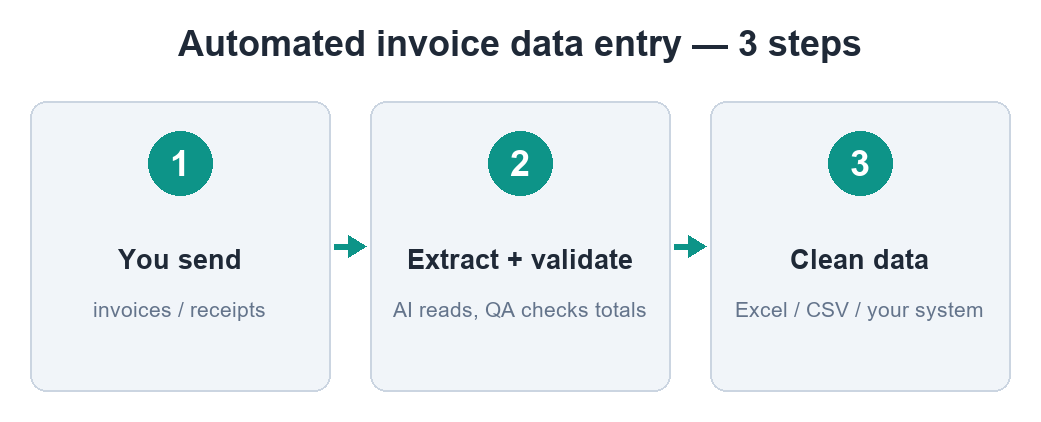
Start by counting the cost
Estimate your volume and time per invoice. 300 invoices at 3 minutes each is 15 hours a month of pure retyping — before counting the cost of errors. That number tells you how much automation is worth to you.
The three approaches
Rules/templates: fast for one fixed layout, brittle for everything else. OCR: reads scanned text but leaves you cleaning it. AI extraction with validation: handles mixed layouts and checks the numbers. For real-world mixed invoices, the third scales best.
Setting it up
- Decide the exact fields you need (header only, or full line items).
- Pick where the data goes: Excel, CSV, or straight into your accounting tool.
- Add a validation step so bad extractions are caught, not posted.
- Run a batch of real documents and review the flagged ones.
The pitfall to avoid
The tempting mistake is trusting raw AI output. Real invoices contain quirks — VAT-exempt charges, discounts, odd date formats — that break naive assumptions. A validation layer that reconciles totals turns a risky guess into something you can rely on.
Skip the manual work
DocAuto turns your invoices, receipts and bills into clean, validated spreadsheet data — every figure checked before you get it.
Send a document — free sample